

One photo or video
Use one photo or one video between 2 and 15 seconds. A single, clearly visible person gives the effect a clear subject.
Give a photo or video the feel of a home camcorder recording, with soft detail, color bleed and occasional tape tracking noise.
Explore models for other image and video ideas.
A VHS look builds over the whole shot: softer edges, color bleeding sideways, moving grain and an occasional band of tracking noise near the bottom. Keep the face readable.
Use one photo or one video between 2 and 15 seconds. A single, clearly visible person gives the effect a clear subject.
The effect is built in. You can leave the field blank, then choose a duration and review the credit estimate.
Review the credits shown on the button before generating. The quote can change with resolution, clip length and the length of a reference video.
Use a short clip such as someone lifting a cup. A continuous gesture makes it easier to see how the tape texture behaves from frame to frame.
Ask for a bit of tracking noise along the bottom edge, or ask for softer grain if the scene needs to stay clear.
The edges and colors can soften while the gesture remains readable. Check that the texture leaves the face and hands clear.
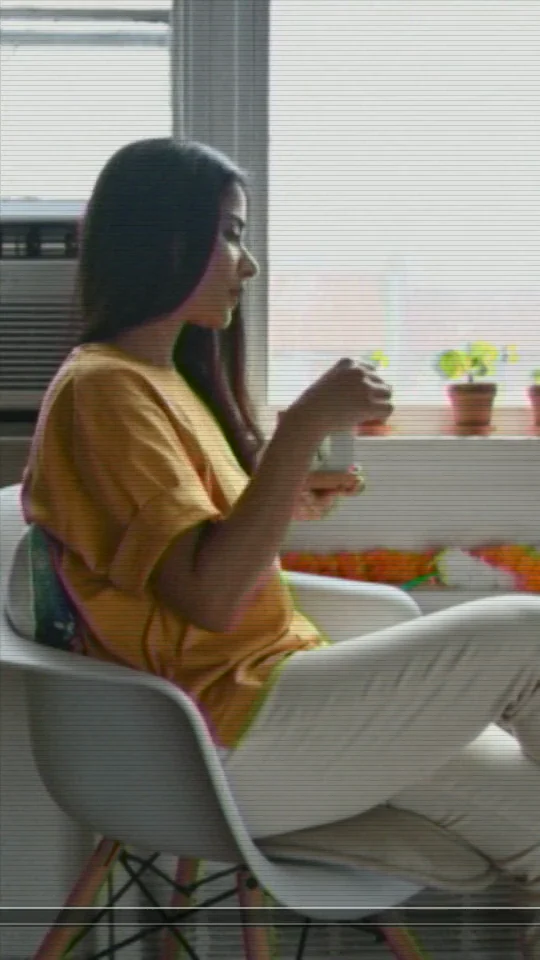
For a home-video look, choose a clip with a simple gesture and recognizable edges, such as someone lifting a cup by a window. The two sides show the same source frame. Watch the chair and plants for softened edges and color bleeding sideways.
Try a source with more even lighting or ask for less color bleed and more detail on the face.
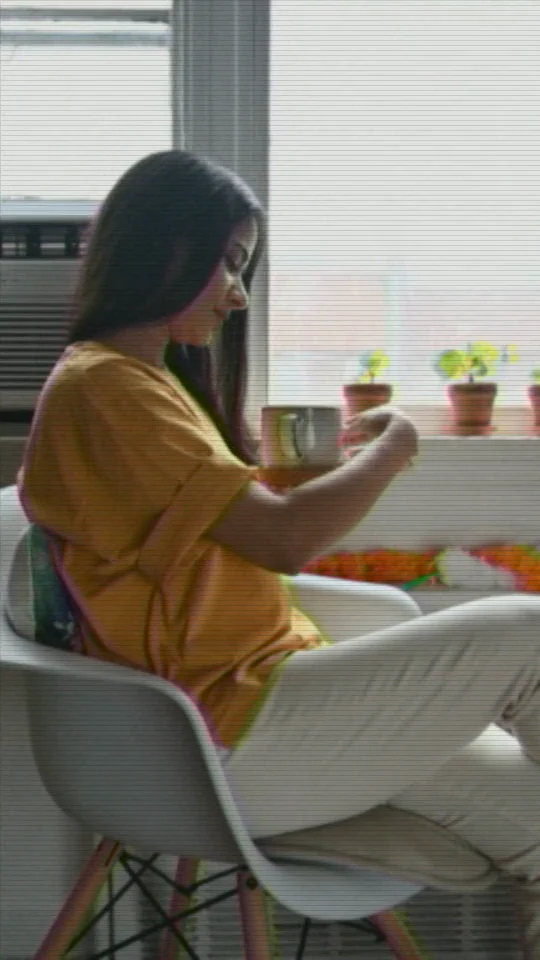

For the brief wobble of a worn tape, ask for a narrow band of tracking noise along the bottom edge. In the edited example, it passes under the scene while the woman lifts her cup.
Play the whole movement. If the interference draws attention away from the hands or the cup, ask for a thinner, shorter band.
Start with a well-lit reference that shows one person clearly. Leave a little space around the head and shoulders so the tape texture has room to show.
The effect is built in. You can leave the field blank, then choose a duration and review the credit estimate.
Sign in to generate. Play through a gesture and check whether the tape texture leaves the motion easy to follow.
The effect creates a silent clip. You can add a track you have permission to use in a video editor.
Use one photo or one video between 2 and 15 seconds. A single, clearly visible person gives the effect a clear subject.
This effect creates a new silent clip from your reference and adds simulated tape wear. It does not restore damaged footage or sharpen it.