
1 portrait photo
Upload a sharp portrait with unobstructed upper lip (use photos with permission).
Upload one clear portrait to add a realistic chevron, handlebar, walrus, or pencil mustache neatly above the upper lip while preserving natural skin pores, hair, eyes, clothing, and background.
Explore compatible models for your next creation.
Use a crisp front-facing portrait with an unobstructed upper lip in even daylight so hair texture, lip shadow, and color match seamlessly.
Upload a sharp portrait with unobstructed upper lip (use photos with permission).
Starts at 3:4 portrait aspect ratio; switch to match your photo frame before creating.
Leave Additional details blank for a clean dark chevron, or write handlebar, walrus, pencil, or silver gray.
Leave blank for a clean natural chevron matching your hair shade, or ask for curled handlebar tips, fuller walrus, or a thin pencil trim.
Select 3:4, 1:1, 4:3, or 16:9 to match your uploaded portrait so background walls and shoulders stay consistent.
Verify upper-lip hair transition, nostril shadow, teeth, and clothing edges inside your saved result.
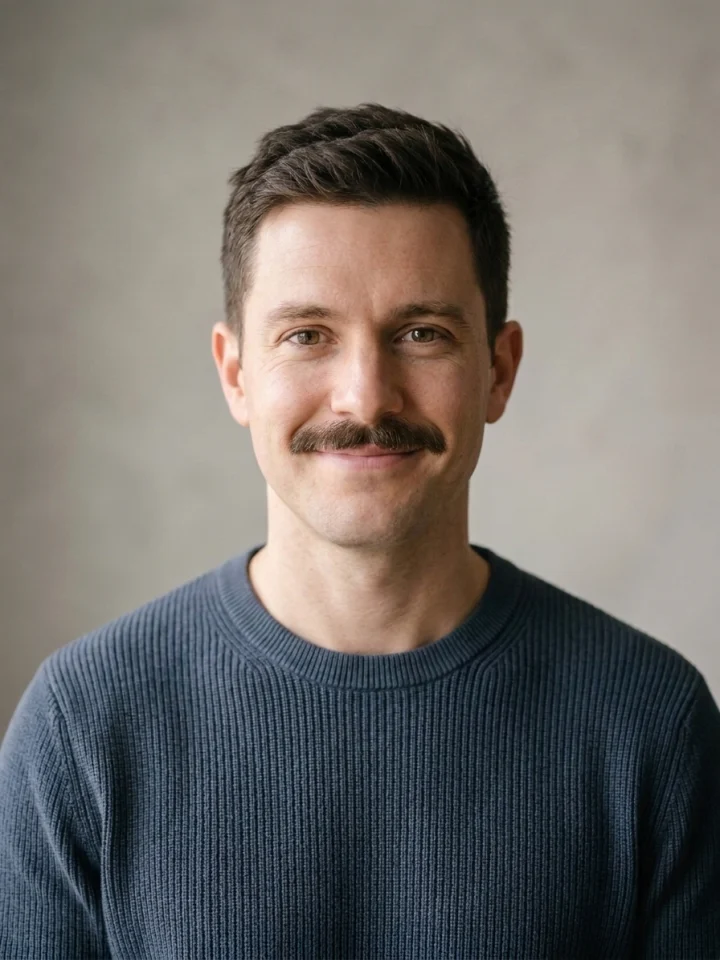
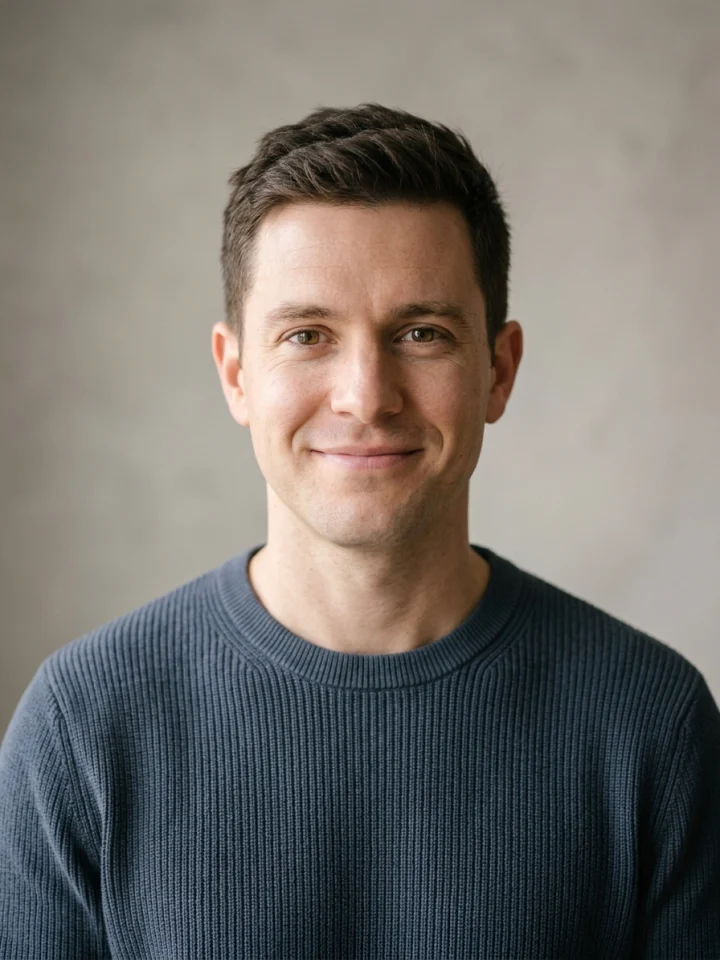
Slide across this window-lit slate-blue knit sweater portrait to see how a natural dark-brown chevron mustache integrates cleanly while preserving the overall portrait, expression, sweater, and soft background.
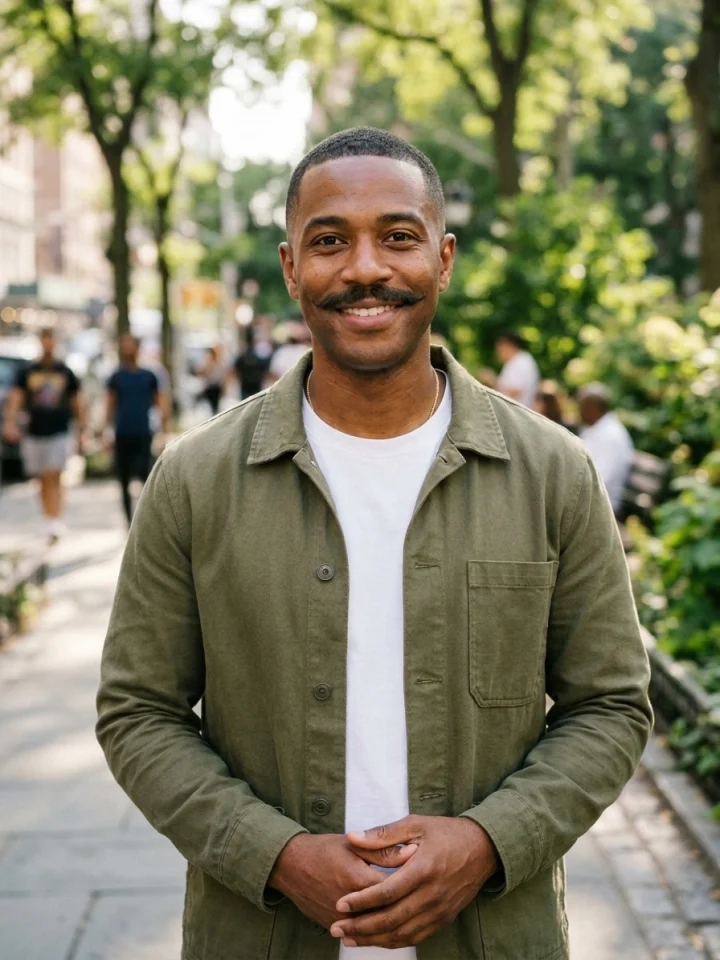
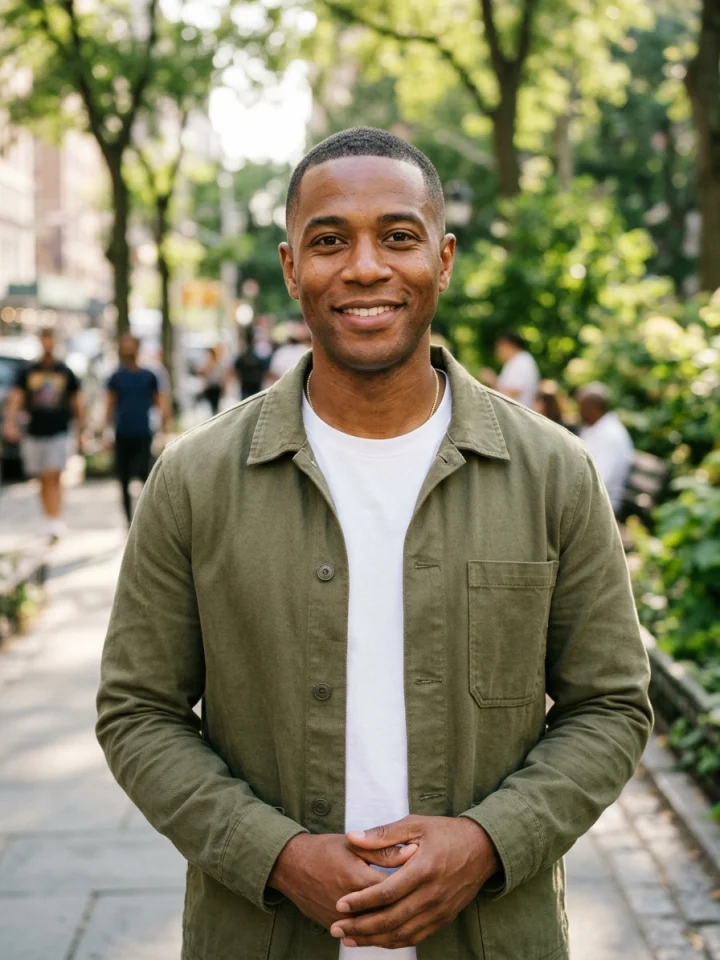
Slide across this olive-green chore-jacket portrait in daylight to inspect how the sculpted upward-curled handlebar mustache follows natural lip width without adding chin stubble.
Choose a sharp JPG, PNG, or WebP portrait with clean light across the upper lip.
Leave Additional details blank for classic chevron, or write handlebar, walrus, pencil, or silver tone.
Review the generated photo in your result panel to inspect hair roots, smile line, and original clothing.
Yes—Additional details lets you specify handlebar, pencil, walrus, horseshoe, fuller thickness, or matching silver-gray hair without replacing your face or outfit.
Yes—before submitting, switch Aspect ratio from the 3:4 starting setting to another available ratio like 1:1, 4:3, 2:3, or 16:9 matching your portrait.
The preset instructs upper-lip mustache addition only while keeping cheeks, chin, skin pores, eyes, and clothes intact. Always review the saved result to confirm.