

One identity, several expressions
Use a clear portrait so each cutout can refer to the same face and hairstyle. A mix of expressions makes the arrangement feel less like a repeated sticker.
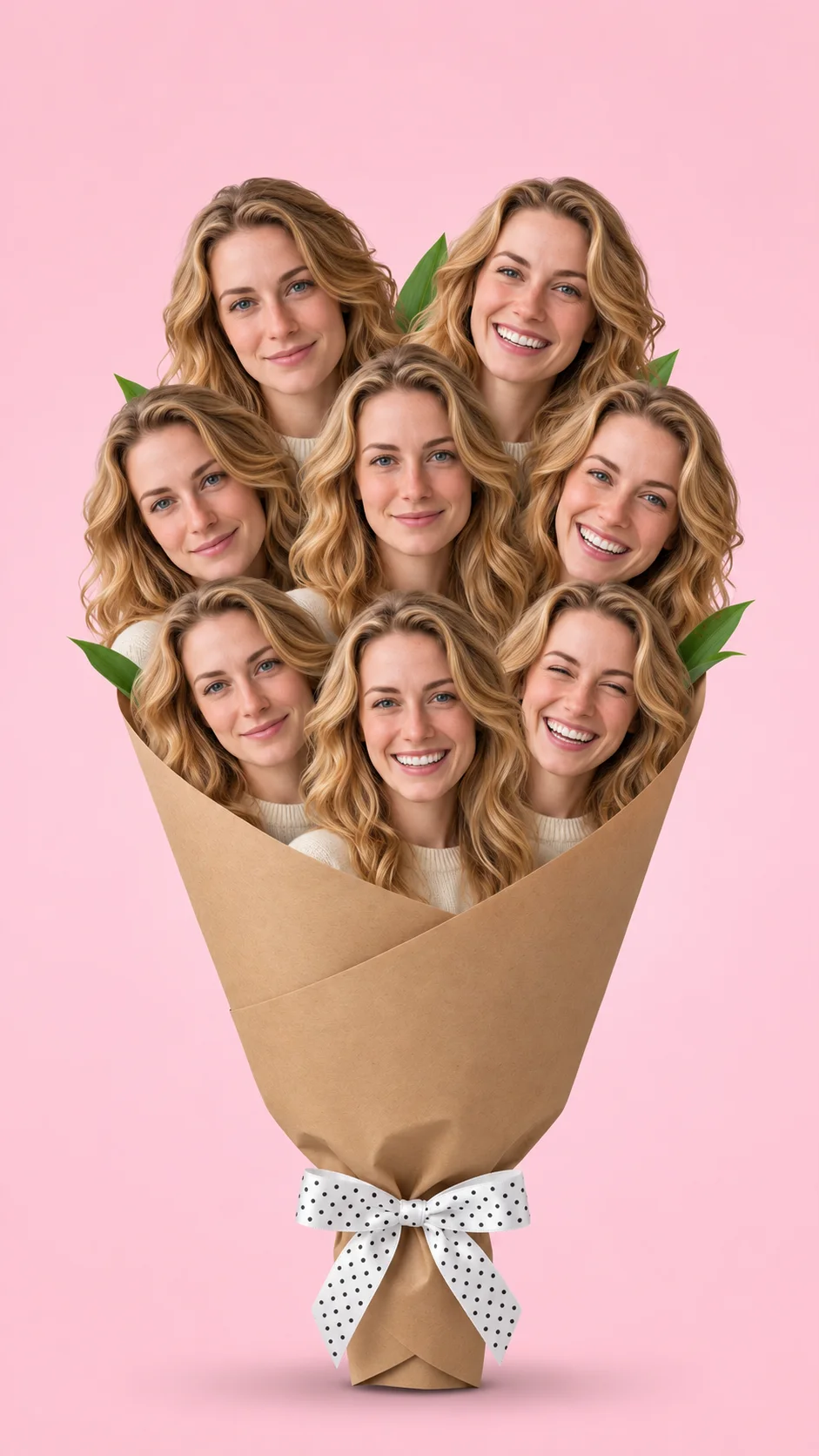
Create a Face Bouquet from one portrait. Turn different expressions of the same person into a playful photo bouquet with kraft-paper wrapping, a dotted bow and a pink background.
Explore models for generation and editing.
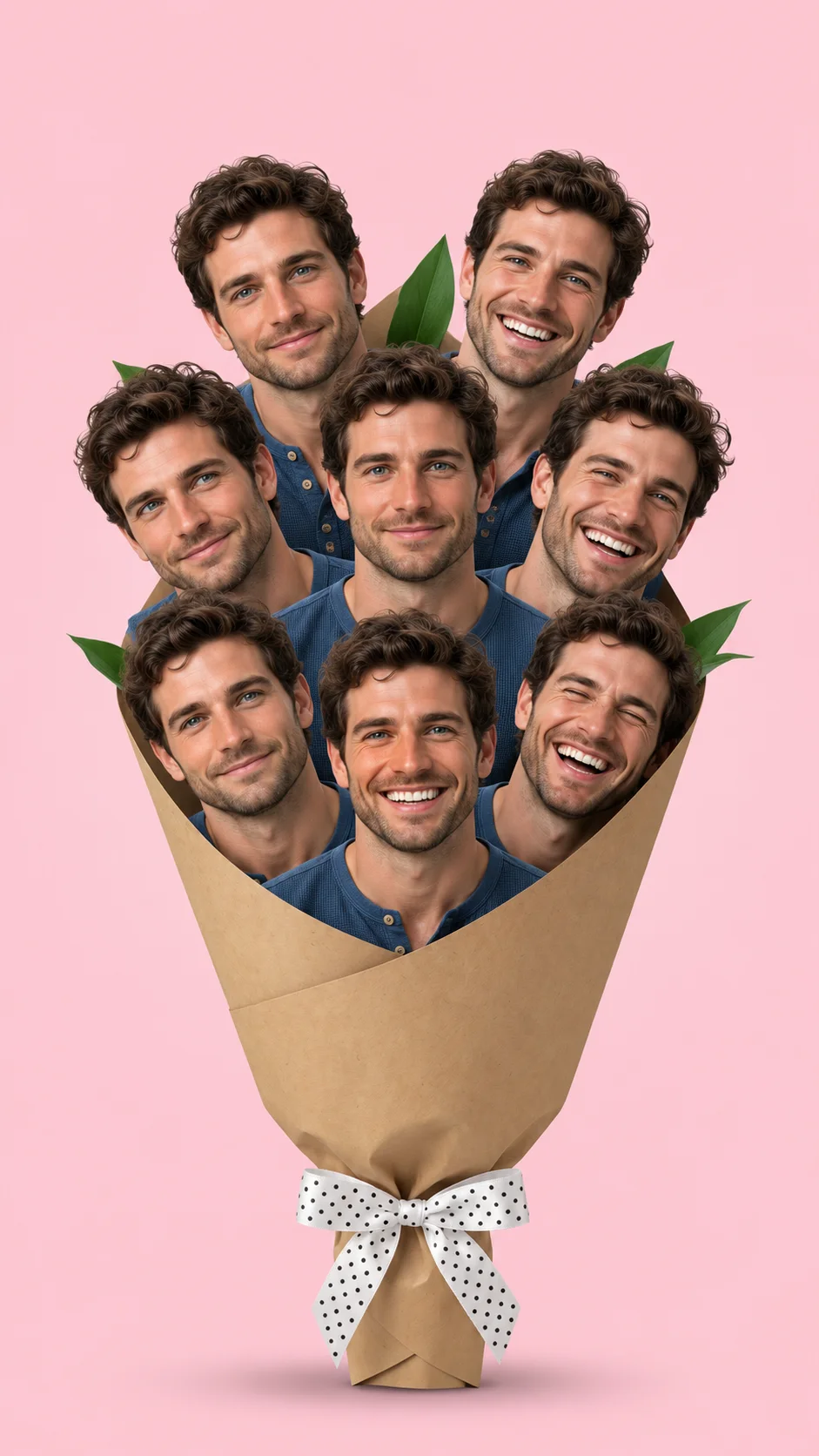
Face Bouquet, also searched as Flower Bouquet of Me, replaces the flowers with cutout portraits of the same person. Smiles, side glances and a laughing face form the rounded top; kraft paper and a tied bow make the arrangement read as a real bouquet. Upload one portrait and make a single image ready for a profile post, a personal greeting or the reveal in a photo slideshow.
Use a clear portrait so each cutout can refer to the same face and hairstyle. A mix of expressions makes the arrangement feel less like a repeated sticker.
A tapered kraft-paper cone, green leaves and a dotted ribbon define the bouquet. The shoulders sit within the wrapping instead of becoming separate full bodies.
The pink background leaves the outer faces and bow easy to see. A vertical canvas suits the tall wrapper without cropping the top portraits.
AI-generated bouquet illustration
The woman’s illustration combines forward-facing smiles, a side glance and a laugh while keeping the hair and facial features consistent. The interest comes from the expressions and their overlap, rather than adding unrelated people or real flowers.
The man’s illustration uses the same paper cone and pink backdrop with a different face, hair and shirt. Your uploaded portrait guides those personal details. You can edit the prepared description to change the background, ribbon or expression mix.
Choose one person with a clear face and hair. Avoid a group photo or a face hidden by a phone.
The bouquet description is already filled in and editable. GPT Image 2.5 is the default; choose a compatible image model and review the credit estimate.
Check that the cutouts depict the same person, the eyes and teeth look natural, and the wrapping forms one continuous bouquet.
It is a photo-collage effect that arranges several versions of one person’s face as the heads of a flower bouquet. This page follows the pink-background, kraft-paper version.
One portrait is enough. The model uses it to create different expressions and angles within one arrangement.
It creates one still image. You can add the image to your own slideshow; this generator does not add a song or video motion.
Yes. Edit the prefilled description to specify the ribbon, paper, background or expressions. Your edited description is sent with the portrait.
The model may vary the portrait count and small facial details. Review the eyes, mouth and hair across all cutouts. The displayed bouquets are AI-created illustrations, not a guarantee of an identical result.