

1 photo or 2–15s video
Use one clear portrait or 2–15s clip of a single person with both shoulders visible and a simple, uncluttered background.
Turn one portrait into the viral vertical self-hug clip where a larger graphite sketch of you emerges on a grey concrete wall and wraps its arms around you.
Explore models for other image and video ideas.
Keeping the real person in rich photographic color against raw grey concrete makes the monochrome graphite double behind them feel tactile and intimate. As the sketched figure leans forward and wraps its drawn arms across their chest, a gentle smile completes the viral illusion.
Use one clear portrait or 2–15s clip of a single person with both shoulders visible and a simple, uncluttered background.
Initial settings are 9 seconds, 9:16 and 720p with audio on, and you can adjust available options before generating.
Check the credit quote shown before submitting; the estimate can change with resolution, duration and reference video length.
Keep skin tones, hair texture, and clothing in crisp photographic color while the subject leans casually against a cool grey concrete wall.
Gradually bring out a towering graphite pencil illustration matching the exact same person’s hair, features, and silhouette on the concrete surface.
Wrap the sketched sleeves and shaded pencil hands tenderly across the subject’s shoulders while their real hands lift to rest softly over the drawing.
Warm wardrobe tones—like terracotta, cream linen, or the trend’s signature red jacket—stand out sharply against raw concrete and crosshatched graphite lines. Avoid busy prints behind the shoulders so the sketch reads clearly.
Use a pale textured concrete wall and soft side daylight so the dark graphite hatching pops cleanly behind the colored shirt.
Check that the sketched face matches the real person’s hair and features and that the drawn sleeve overlaps the shoulder naturally.
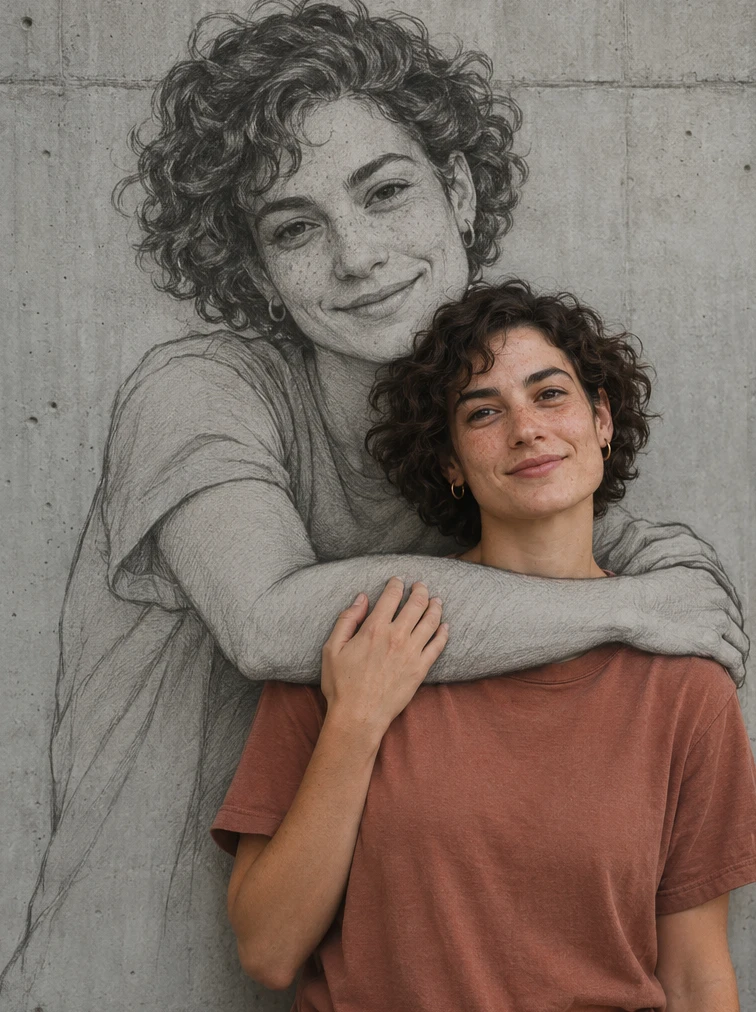
The heart of the clip is the quiet moment when the real hands rest gently on top of the drawn forearms. Calm breathing, a slight head tilt, and clear finger separation sell the blend of 2D sketch and 3D portrait.
Have the real person tilt their head slightly toward the sketch with a warm smile and rest both hands softly over the drawn forearms.
Inspect the overlap where real fingers meet the sketched forearm to make sure hands and wrists look natural.
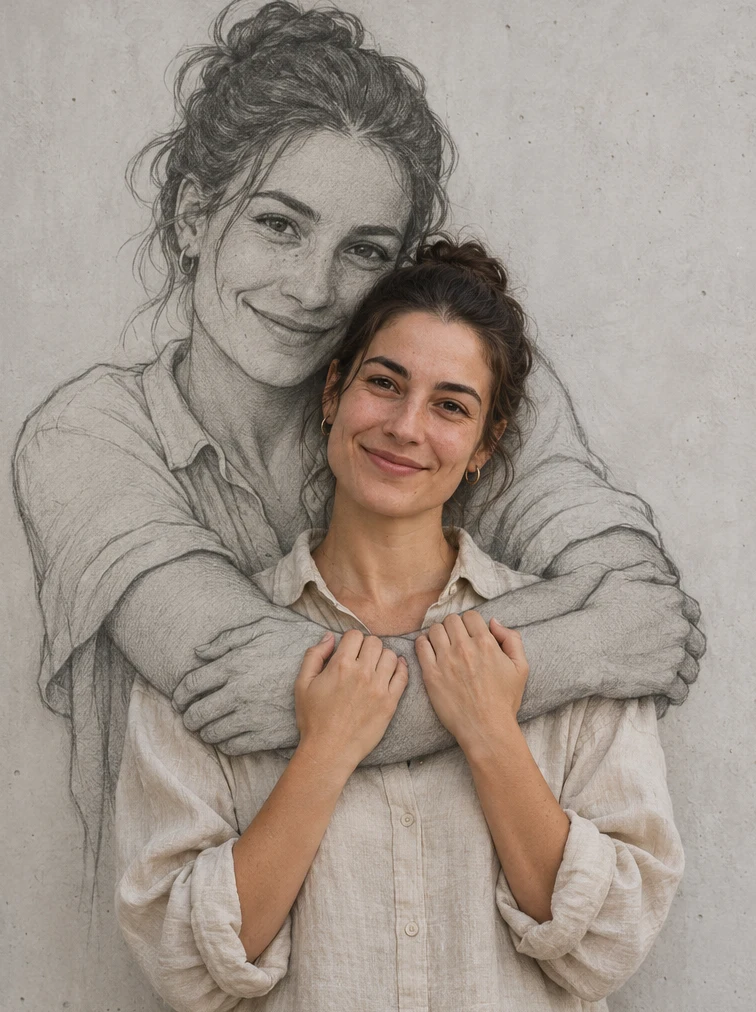
Upload one clear photo or 2–15 second clip of a single person facing forward with head and both shoulders clearly visible.
Optionally ask for the viral red jacket styling, warmer wall light, or softer smile, or leave blank for the preset concrete embrace.
Review 9:16 vertical framing, 9-second length, and credit estimate, generate the clip with audio, and verify facial likeness and hand overlap.
You can adjust the available settings before generating. The initial settings are 9 seconds, 9:16 and 720p with audio on.
Upload one clear photo or 2–15 second clip of one person with head and both shoulders unobstructed, ideally in soft light.
The model replaces cluttered backgrounds with a concrete wall, draws a graphite double behind you, and may shift pose, hand placement, or subtle facial details.