

1 photo
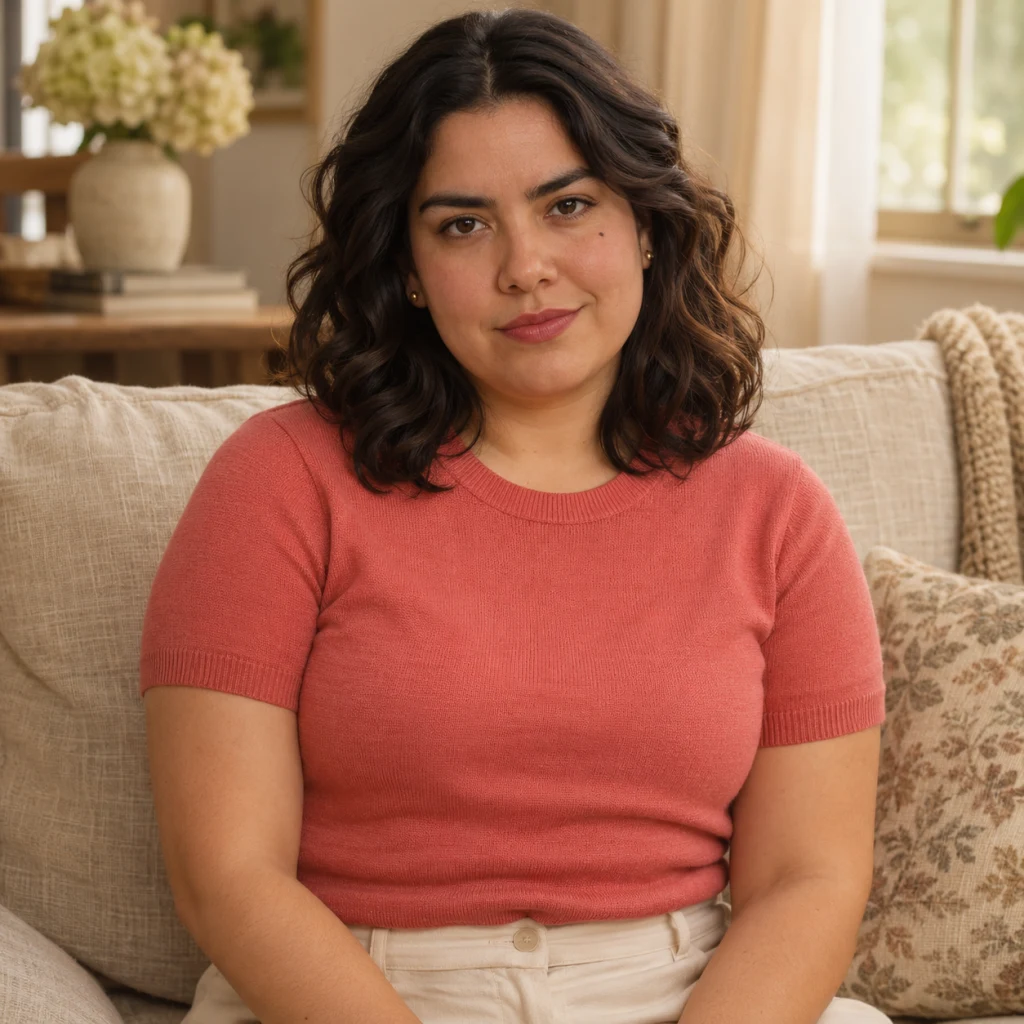
A clear face and visible clothing help guide the transformation.
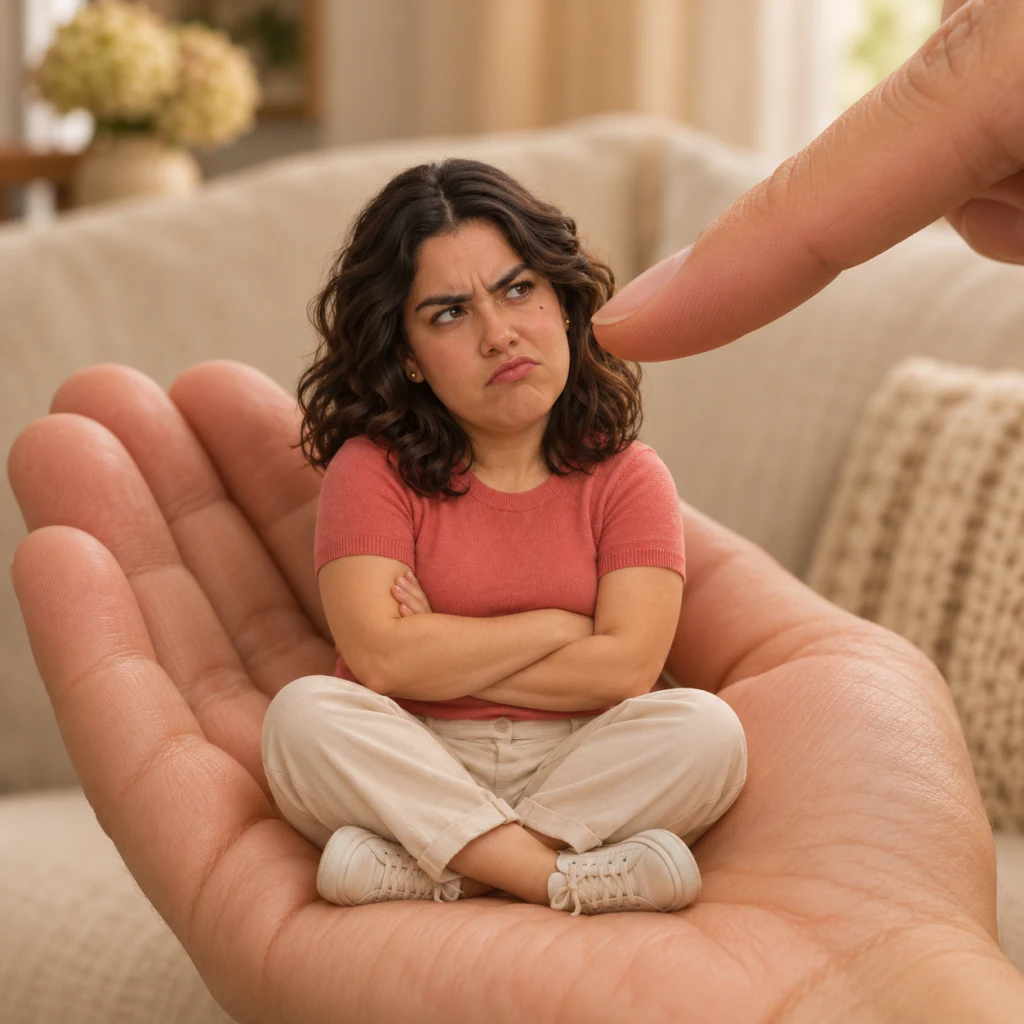
Create a palm-sized version of yourself from one photo. Keep your face and outfit recognizable in a playful still image.
Explore compatible models for your next creation.
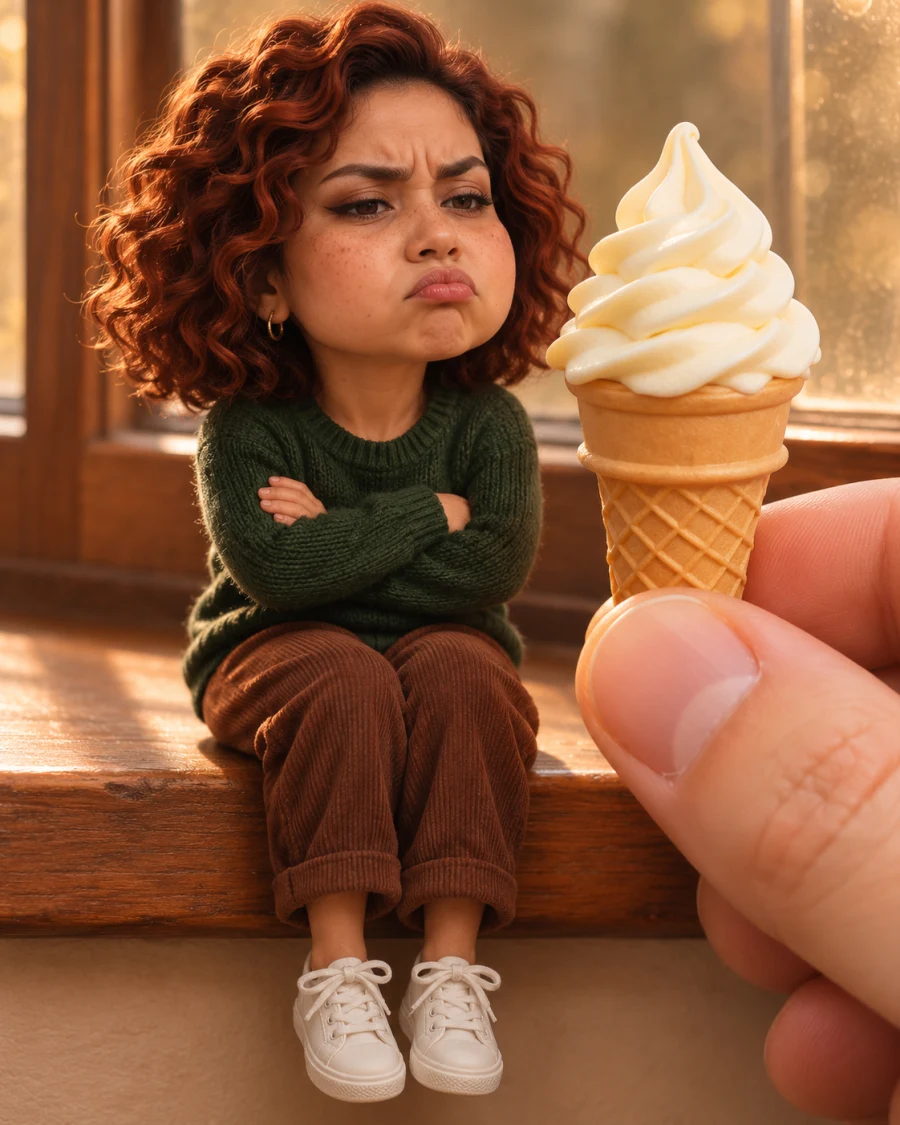
The joke is the scale: the same face and outfit on a figure small enough to sit in an open palm. A fingertip near the cheek makes the size clear at a glance.
A clear face and visible clothing help guide the transformation.
Choose a ratio that suits the source photo and keeps room around the person.
Leave it blank for the open-palm scene, or describe a different pose, prop or setting.
Use a waist-up or full-body photo with one person. With a headshot, the model has to invent more of the outfit.
An open hand, a fingertip or an ice cream cone makes the size easy to read. Keep the prop beside the miniature so it doesn’t hide the face.
Compare the eyebrows, hairstyle and clothing colors. If the face has changed too much, start again with a sharper photo taken at eye level.
Start with a waist-up or full-body photo that shows your face, hair and outfit. In the palm scene, keep the whole miniature and a fingertip in view so the change in scale is immediately clear.
Compare the brows, hairstyle and clothing colors. If the fingertip hides the face, add “keep the fingertip beside the cheek.”
Give the miniature something to react to. In the windowsill example, a full-sized hand offers a cone almost as tall as the figure. Keeping the cone to one side leaves the expression visible.
“Sit on a sunny windowsill with arms crossed, looking at the cone. Show the shoes and the hand holding the cone.”
Upload one portrait with the eyes clearly visible and a little space around the person.
Leave it blank for the open-palm scene, or describe a different pose, prop or setting.
Sign in to generate. Before saving, check that the figure sits naturally in the hand and that its face is clear.
This effect creates a still image. A clear photo of one person with their eyes and top visible gives the model a better reference.
The prompt asks to retain recognizable facial features, but generated details can vary. Review the result.
The quote on the button updates with quality, resolution and image count.