
SceneFlare

LISA Tarantino Dance

Put your photo into a 15-second Tarantino dance cover. Keep your own look and outfit, choose a model and resolution, and create a vertical video with sound.

Your photo
Adult dancer photo

Upload one clear adult photo, ideally head to shoes, with both arms and the outfit visible.

LISA Tarantino Dance

Your look. The Tarantino moves.

LISA Tarantino Dance turns the sharp arm hits, loose hip changes and expressive head accents of a dance cover into a clip starring your photo. The reference is a solo cover in daylight, not a scene from the official music video. Your identity and clothing guide the performer.

15s · 9:16Seedance 2.0 Mini · 720p

A dance cover with its own attitude

Frames from the reference clip

The accents are the routine

The character of this cover comes from the contrast between sharp crossed forearms and relaxed wrists, then bent-knee weight shifts, side leans and an arm curved above the head. The small transitions between those accents matter as much as the poses. Our built-in direction follows the selected cover’s order and real-time rhythm. Start with one clear adult photo so the face and outfit have a consistent reference. Men and women can perform this version; the source dancer’s face, hair and clothes are not the look you are asked to copy.
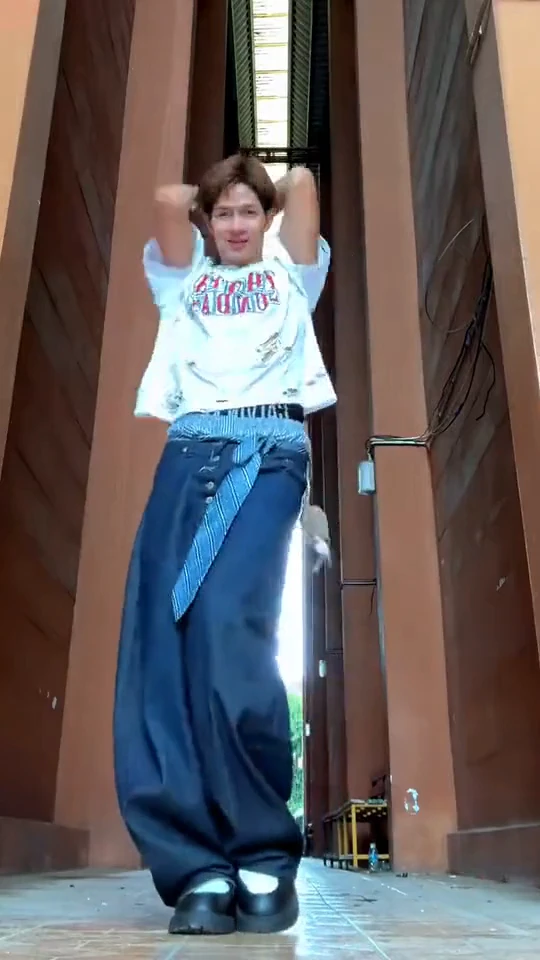
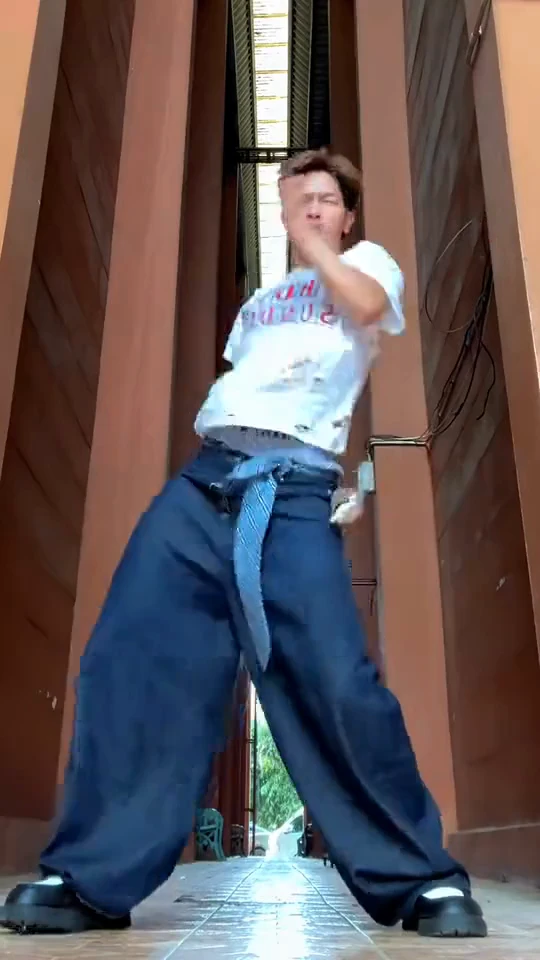
The accents are the routine

Low camera, full body, room to move

The camera sits low in front of rust-brown angular columns and a tall narrow window. The solo dancer fills most of the vertical picture, but the head, hands and shoes stay readable. That grounded phone-video viewpoint is different from a distant stage shot or a close portrait. A full-body upload helps show which clothes and shoes you want retained. Optional scene notes can move the routine somewhere else while keeping room for the arms and steps. Review hands, facial likeness and tempo in the finished clip; exact choreography is not guaranteed.

Low camera, full body, room to move

How to make your video

01

Upload the dancer

Use one adult photo with a clear face and as much of the full outfit as possible.

02

Choose settings and your scene

Pick a model and resolution. Leave notes empty for the reference setting, or describe your own location and light.

03

Generate and review the routine

Sign in and review the credit estimate. Check the arm hits, footwork, identity and sound before downloading.

Questions before you create

Will the video show LISA?

Your photo defines the lead performer. This independent effect uses a fan dance-cover excerpt as a movement reference; the reference is not an official LISA performance or a promise of an appearance by her.

Can I keep my own clothes?

Yes. The direction uses the uploaded person’s complete look, including hair, outfit, shoes and visible accessories. Explicit outfit notes can change that default; AI may still reinterpret details.

Can I change the background?

Yes. Describe a location or lighting idea in the optional notes. The solo routine, low viewpoint and full-body composition remain the foundation.

What are the output settings?

The clip is fixed at 15 seconds in vertical 9:16. Seedance 2.0 Mini at 720p is the default, with compatible models and resolutions available. The credit estimate updates before submission and includes reference-video processing.

Does it include the reference sound?

Yes. The visual generation is followed by the audio from the same 15-second reference-cover excerpt, at its original speed. It is not a new recording of you singing.

What am I seeing before I generate?

The player and section stills come from the same downloaded solo dance-cover excerpt. They show the reference routine, not a result generated with your photo.

LISA Tarantino Dance

Bring your photo and give the routine your own look.