
SceneFlare

Car Alarm Dance

Give your pet—or yourself—the Car Alarm Dance. Upload one photo for a 12-second vertical clip of quick steps beside a red car, with the selected alarm-beat soundtrack.

Your photo
Subject

Use one clear photo of a pet or adult, with the face and as much of the body as possible visible. No car photo is needed.

Car Alarm Dance

Car Alarm Dance

A parked car suddenly sounds like a dance track. Car Alarm Dance turns that familiar interruption into a tiny street performance: a paw goes up, the feet bounce, and a brief freeze makes the next alarm pulse funnier. Our version follows the red-car night scene, with a single dancer beside the front wheel. Your photo supplies the recognizable face, fur or outfit; the setting supplies the joke.

12s · 9:16Seedance 2.0 Mini · 720p

When the alarm becomes the beat

AI scene illustrations based on the selected clip.

A small dancer beside a big red car

The wheel, side mirror and red bodywork give the dancer a familiar scale. Keeping the whole subject in view lets you follow the feet as well as the face; a tight portrait would lose half the joke. The warm streetlights and ordinary parked cars make the upright pet feel unexpectedly at home. Start with a sharp photo rather than a distant group shot so the face and coat pattern have a clear reference.
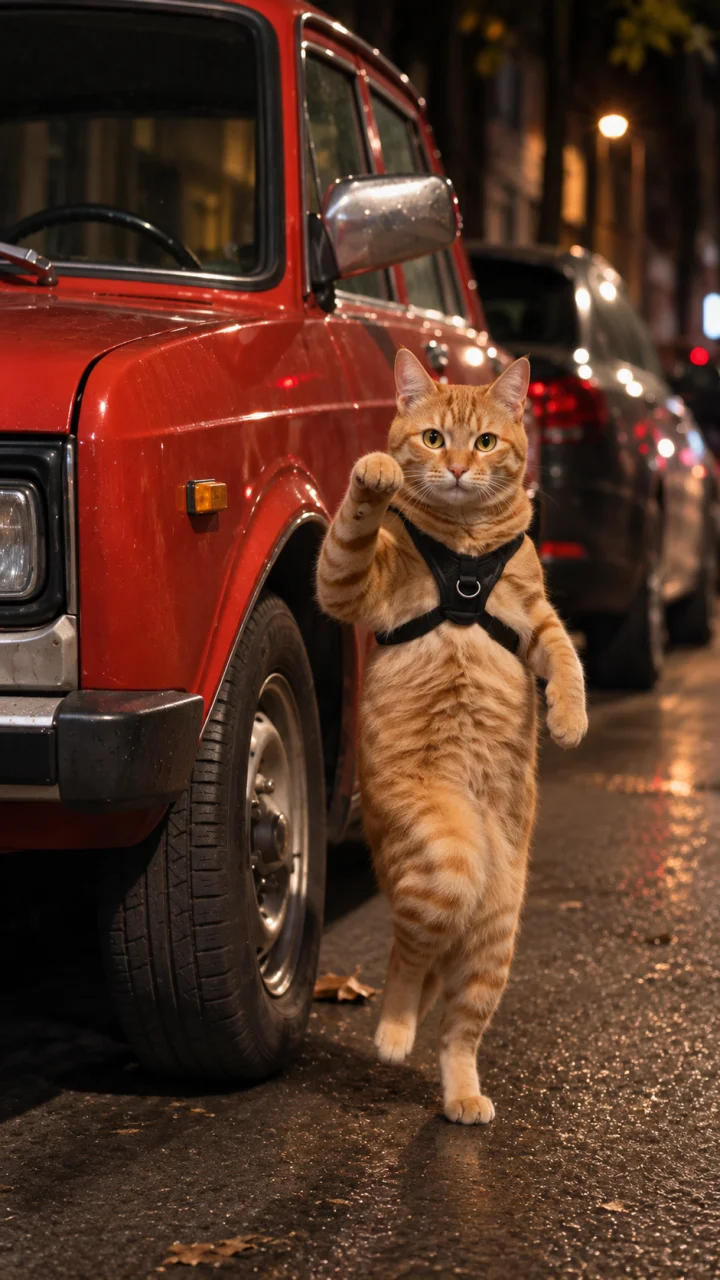
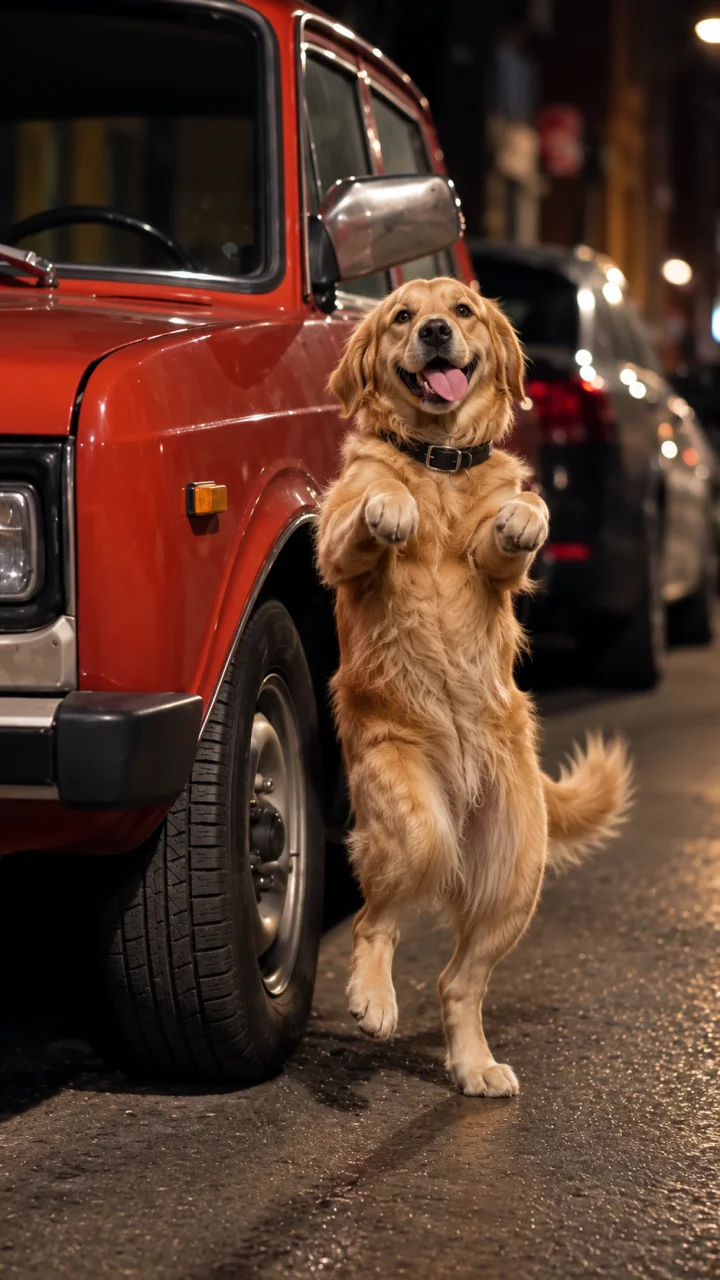
A small dancer beside a big red car

The pause matters as much as the hop

This is a sequence of short accents, not a long smooth dance. Alternating paw lifts, compact bounces and a forward gesture answer the alarm rhythm, with little holds between them. Cats, dogs and people give that same pattern different personalities. Optional notes can refine appearance or lighting; leaving them empty keeps the selected nighttime scene. Watch the feet, limbs and pauses in the result before sharing.

The pause matters as much as the hop

How to make your video

01

Upload your photo

Use one clear photo of a pet or adult, with the face and as much of the body as possible visible. No car photo is needed.

02

Choose your settings

Select a model and resolution; add notes only if needed.

03

Generate and review

Check the credits, submit, then inspect the result before saving.

Settings and results

Can I change the model and resolution?

Yes. Mini at 720p is the default. Select a compatible model and resolution and review the updated credit estimate before submitting. Sign-in and credits are required.

Where does the sound come from?

The matching example audio is added after the footage is generated, at its original speed. The player shows a selected reference example, not your personal result. The two still illustrations were generated using frames from that example.

What should I check in the result?

The reference guides the dance, but exact beat alignment, paws, hands and identity can vary. A clear single-subject photo helps; it does not guarantee a frame-for-frame copy.

Car Alarm Dance

Create your version from one photo.