
SceneFlare

Rugrats Cartoon AI Filter

Turn a selfie or group photo into a playful 90s cartoon with Rugrats Cartoon AI Filter. Keep recognizable hair, outfits and poses, with bold outlines and a toy-filled playroom.

Your photo · One image

0/1
Third-party cartoon reference
Rugrats Cartoon AI Filter

Your own crew in a different cartoon world

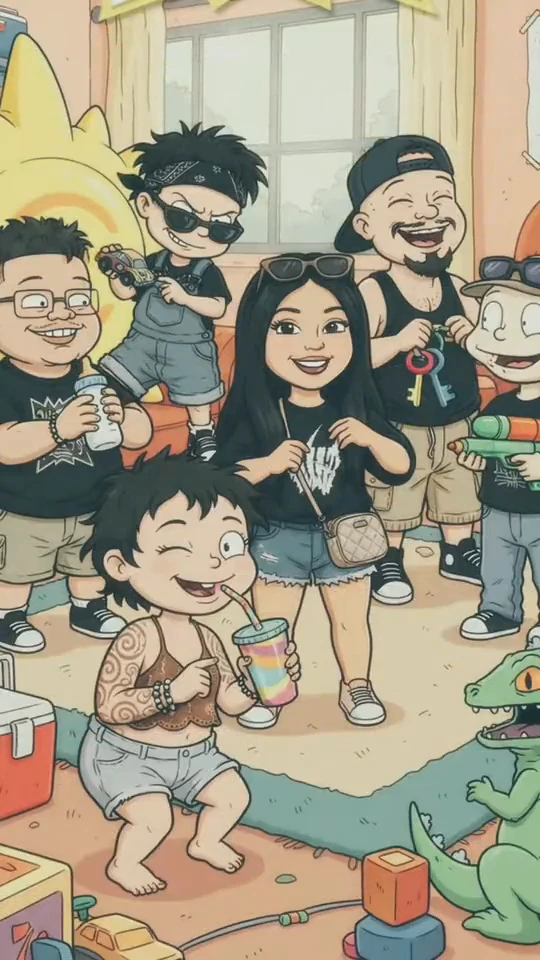
Rugrats Cartoon AI Filter is about recognizing your photo after the redraw: the friend with glasses, the familiar hairstyle and the pose everyone remembers. Bold uneven outlines and a pastel playroom give the image its retro character. Upload one photo and edit the prefilled direction to make a single cartoon picture you can download or use in your own reveal post.

GPT Image 2.59:16 · 1K

Keep the people; change the drawing language

Before-and-after reference frames from the @yoyo.559 post show the trend’s visual direction. They are third-party examples, not SceneFlare generation results.

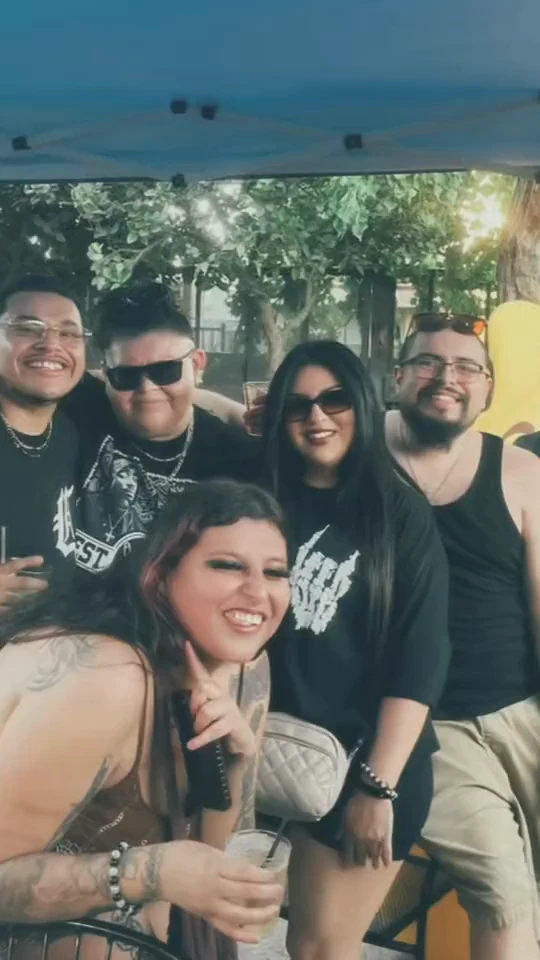
A group photo carries the story

A shared photo gives each person a place, an outfit and a relationship to the others. Those details make a cartoon group feel like your friends rather than a random cast. Start with visible faces and some space around the bodies; overlapping hands and faces at the edge are harder to interpret. You can use a solo portrait too. The description is already filled in, and you can name a particular accessory or pose that matters to you before generating.
A group photo carries the story

Rough outlines, flat colors and a playful room

The effect takes its cue from hand-drawn television cartoons: rounded proportions, expressive faces, slightly irregular black lines and simple areas of color. The toy-room setting helps the transformation read immediately. It is a redraw of your photo, not a realistic baby-face filter or a request to insert existing television characters. Keep your own clothes and hairstyles as anchors, then review the number of characters, glasses, hands and held objects in the result. Different models can interpret the same drawing direction differently.

Rough outlines, flat colors and a playful room

Create image

01

Upload one photo

Choose a clear selfie or group photo with all the faces visible.

02

Adjust the cartoon direction

Keep the default description or edit it. Choose an image model, aspect ratio and resolution.

03

Create and review the image

Check the credit estimate, generate and inspect the characters before downloading.

Questions before you create

Does this make a video with music?

It creates a still cartoon image. You can place your original photo and the result into a slideshow editor afterward. Music, wipe transitions and video export are not included in this image tool.

Can it work with more than one person?

Yes. Upload one group photo rather than separate portraits. The direction asks to keep the visible people in the same relative order. Check that no one is missing or duplicated in the result.

Is this an official Rugrats or CapCut filter?

No. SceneFlare is independent of Rugrats, Nickelodeon and CapCut. The name identifies the cartoon trend; the tool redraws your photo instead of supplying official characters or a branded template.

Can I change the background or keep an accessory?

Yes. Edit the prefilled description, for example to keep a hat or use another room. Your edited description is used for generation.

Why does the page show a different group?

The preview and body images are frames from a third-party trend post. They show the style, not your personalized output. Character counts and small details in references can also differ; review your own result after generation.

Which image settings are selected?

The default is GPT Image 2.5, Flare, 1K, medium quality, vertical 9:16 and one image. Compatible models, formats and resolutions are selectable. Sign-in and credits are required; review the estimate before generating. Results can vary by model.

Rugrats Cartoon AI Filter

See your familiar faces as a cartoon crew.